Tuesday, August 7, 2007

Total Commander 7.01

Total Commander is a file manager replacement that offers multiple language support, search, file comparison, directory synchronization, quick view panel with bitmap display, ZIP, ARJ, LZH, RAR, UC2, TAR, GZ, CAB, ACE archive handling plus plugins, built-in FTP client with FXP, HTTP proxy support, and more.

Features :
- Two file windows side by side
- Multiple language support
- Enhanced search function
- Compare files / synchronize directories
- Quick View panel with bitmap display
- ZIP, ARJ, LZH, RAR, UC2, TAR, GZ, CAB, ACE archive handling + plugins
- Built-in FTP client with FXP (server to server) and HTTP proxy support
- Parallel port link, multi-rename tool
- Tabbed interface, regular expressions, history + favorites buttons
- Both 32 bit and 16 bit versions available!
- Long filenames in Windows 95/98 and Windows NT (16 and 32-bit version)!
- Direct access to Network Neighbourhood
- Supports Drag & Drop with Explorer/the Desktop etc.
- Command line for starting of programs with parameters, simply by typing the program name or by pressing CTRL+ENTER or CTRL+SHIFT+ENTER.
- Configurable button bar and Start menu (User-defined commands) to place your frequently used DOS or - Windows programs into a drop-down menu. The actual directory and/or the file under the cursor can be delivered to the application.
- Configurable main menu.
- Built in file viewer (Lister) to view files of ANY SIZE in hex, binary or text format, using either the ASCII- (DOS) or the ANSI- (Windows) character set. The line width and font size can now be changed. You can even view files inside archives! New: Support for Unicode UTF-8 format.
- Bitmap viewer in Lister, additional formats through Irfanview (see addons).
- HTML- and Unicode-Viewer in Lister.
- Parallel port transfer function (direct cable connection), works between Win95/98/NT/2000/3.1 and DOS!
- Thumbnails view, custom columns, enhanced search

Total Commander comes in the following languages: English, German, French, Italian, Danish, Swedish, Norwegian, Dutch, Spanish, Czech, Russian, Polish, Hungarian, and now also Hebrew, Greek, Afrikaans, Catalan, Turkish and Ukrainian! The help is available in English, German and French (separately).

Download : Total Commander 7.01

Movie Collector Pro v5.23

Movie Collector is a movie database to catalog your collection of DVDs, DivX files, VHS tapes, etc. Adding movies to the database is quick and easy - no typing needed. Just type the movie title and it will automatically download all information from various sources on the Internet (IMDb and DVD Empire), including the cover image. After adding your movies, the resulting database can be browsed, sorted and searched in various ways.


Download : Movie Collector Pro v5.23


Tune Up Utilities 2007

Optimize and customize your Windows
Compared to the previous version, TuneUp Utilities 2007 has been completely revised and extended with new, exciting features.
The new TuneUp Utilities 2007 will make Windows even faster, more comfortable and more secure than ever.
Configuring the system, making backups and performing maintenance can be easily carried out using the intuitive user interface - all easily done in one program at a single glance.

TuneUp Utilities 2007 Advantages
* NEW! TuneUp Disk Doctor: Performs a thorough check of hard drives - automatically corrects errors in the file system and disk sectors to keep your data secure
* NEW! TuneUp Disk Space Explorer: Uses a targeted approach to identify which files and file groups are taking up valuable disk space on your hard drives
* IMPROVED! TuneUp System Control: Offers expanded configuration options for Internet Explorer 7, Firefox 2 and Office 2007
* IMPROVED! Improved 1-Click Maintenance: Allows you to perform even more thorough system checks and error correction with a single click
* IMPROVED! TuneUp DiskCleaner: Finds additional unnecessary file types and frees more disk space
* IMPROVED! TuneUp RegistryCleaner: Targets unnecessary entries in the Windows registry using an improved scanning technology and removes them
* Now Windows Vista™-compatible: TuneUp Utilities 2007
The new version of TuneUp Utilities 2007 contains important
new features, general improvements and can now be used for Windows Vista™, the newest operating system.


Download : Tune Up Utilities 2007

Windows Blinds Enhanced v5.50

Customize the look and feel of Windows XP with WindowBlinds. It's a Windows utility that enables users to personalize nearly every aspect of the Windows graphical user interface. It can "skin" your title bars, push buttons, Start bar, radio buttons, and nearly every other part of Windows. There are thousands of freely available skins to choose from. Use WindowBlinds to make Windows look like another operating system (Mac, Linux, etc.) or give it your own unique look and feel. You can also create your own skins using the freely available SkinStudio. WindowBlinds eliminates the need for any stay-resident program making it use virtually no extra memory. It also makes use of hardware acceleration found in modern video cards to make Windows perform even faster than it does by default.


Download : Windows Blinds Enhanced v5.50

Google SketchUp Pro 6

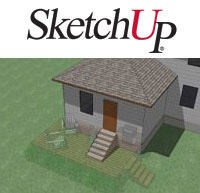
Google SketchUp is the award-winning program that delivers a completely new way to design in 3D. Google SketchUp is a deceptively simple, amazingly powerful tool for creating, viewing, and modifying 3D ideas quickly and easily. Google SketchUp was developed to combine the elegance and spontaneity of pencil sketching with the speed and flexibility of today's digital media.

Developed for the conceptual stages of design, this powerful yet easy-to-learn software allows for quick and easy 3D form creation, the result is an interface that supports a dynamic, creative exploration of 3D form, material and light.

With Google SketchUp Pro 6’s LayOut (beta) feature, you can integrate 3D models with 2D elements like photographs, artwork, text, title blocks – even handwritten notes – to create compelling interactive presentations. LayOut (beta) also enables you to output large-format, high-resolution documents. In a single program, Google SketchUp Pro 6 combines high-quality 2D design tools with the ability to manipulate dimensionally accurate 3D models with CAD-like precision and scale.

New Features

Google SketchUp Pro 6 lets you create 3D models from photographs, match existing models to background photos, render sketchy effects and fog and mark your models with 3D text, logos and watermarks. With the new styles palette, you have easy access to a collection of display settings, which you can save and share. You also have greater control, with new features like enhanced modifier keys that let you perform operations like “copy” while you move, rotate or push/pull. If you use Google Earth, Google SketchUp allows you to place your models using real-world coordinates and share them with the world using the 3D Warehouse.

* Note: LayOut features of Google SketchUp Pro 6 are currently in beta. For information on known issues read the Google SketchUp 6 Release Notes.

You need Google SketchUp Pro 6 if you want to:

Export 3D models to CAD and other 3D formats.
Export 2D vector images.
Create compelling multi-page design documents and presentations.
Arrange and annotate multiple scaled images on a single-page.
Create customized elements and symbols for your presentations using 2D Vector graphics toolset.
Create, document and present your designs using a single software package.
Receive professional email technical support.

PC software:

M'zoft Windows 2000, XP Home, XP Media Center, or XP Professional. At this time, we're unable to support Windows Vista.
M'zoft Internet Explorer 6.0 or later.
For multimedia tutorials: Windows Media Player or QuickTime 5.0
If you are using EarthLink TotalAccess, you must be running version 2005.2 or later.

PC hardware - minimum:

600 MHz Pentium III processor
128 MB RAM
80 MB of available hard disk space
Graphics card that is OpenGL compliant (make sure you have the latest graphics driver for your card*)
Windows compatible pointing device

PC hardware - recommended:

2 GHz Pentium 4 processor or higher
512 MB RAM
80 MB of available hard disk space
Graphics card that is OpenGL compliant (make sure you have the latest graphics driver for your card*)
3-button, scroll-wheel mouse


Download : Google SketchUp Pro 6